Skip to content
EXPanda

Install the app on iPhone

The iPhone app is not on the App Store. Apple lets anyone with a free account install an app on their own iPhone, for 7 days at a time, with the help of a program. There are two paths; SideStore is the one we recommend.

Why can’t I just download it?

Because the iPhone only opens signed apps. The program you will use signs the app with your free Apple account. That signature lasts 7 days and must be renewed; SideStore renews it by itself, on the iPhone.
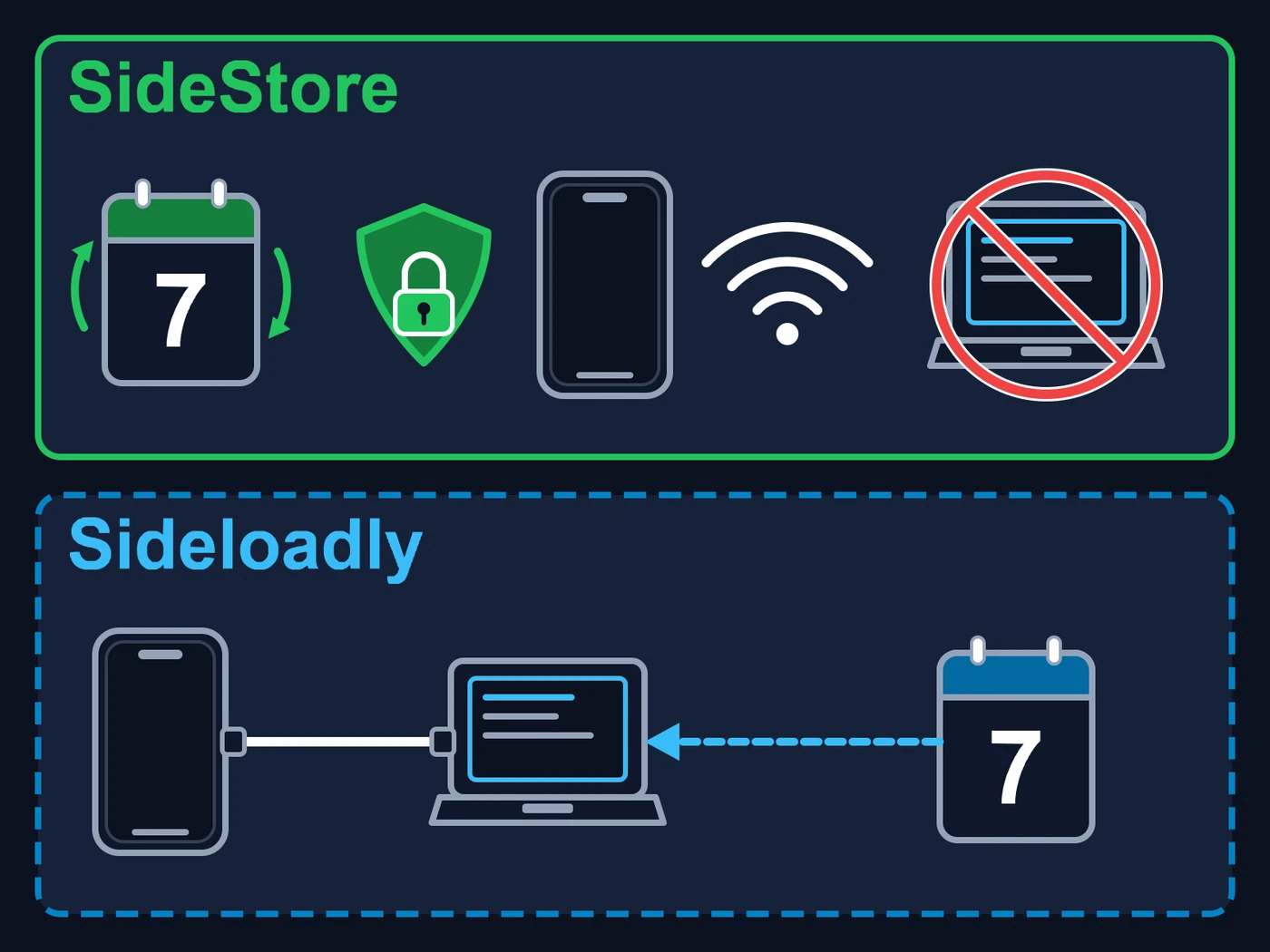
Two panels, one above the other. In the green panel at the top (SideStore): a calendar showing 7 with two circular renewal arrows, a padlock shield, an iPhone, the Wi-Fi symbol and a computer crossed out by a red prohibition sign. In the dashed blue panel at the bottom (Sideloadly): an iPhone joined by a cable to a computer and, on the right, a calendar showing 7 with a dashed arrow pointing to the computer.
The app’s signature lasts 7 days. Top, SideStore (green): it renews it by itself, on the iPhone, with LocalDevVPN turned on and Wi-Fi; no computer needed. Bottom, Sideloadly (dashed blue): every 7 days you connect the iPhone to the computer by cable and renew it in the program. If the 7 days run out without a renewal, the app stops opening until it is renewed.

What applies to both paths

  • An iPhone with iOS 15 or newer and a passcode set (Settings → General → About shows the version).
  • A Windows or Mac computer and a USB cable to connect the iPhone to it.
  • A free Apple account (Apple ID). It can be an account just for this.
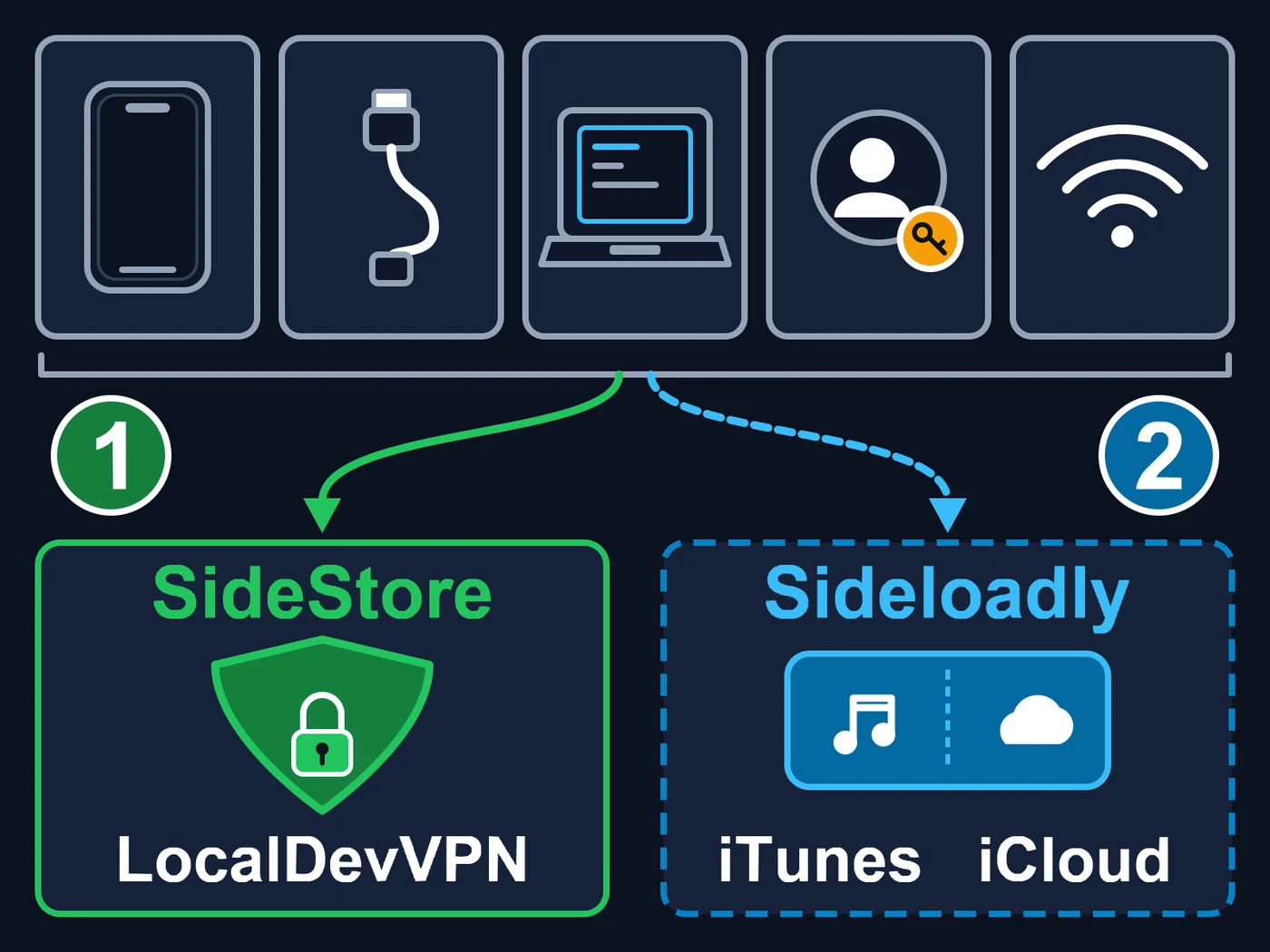
At the top, five cards in a row: an iPhone, a USB cable, a computer, an Apple account (a person with a key) and the Wi-Fi symbol. A bracket gathers the five and two arrows go down from it. The green one leads to box 1 (SideStore), with a padlock shield and the name LocalDevVPN; the dashed blue one leads to box 2 (Sideloadly), with a musical note and a cloud and the names iTunes and iCloud.
The five cards on top apply to both paths; below, only what each one asks for on top of them changes. 1 — SideStore (green): LocalDevVPN, an app that runs on the iPhone itself. 2 — Sideloadly (blue): iTunes and iCloud, which on Windows must be the ones from Apple’s website. The five in common are an iPhone, a USB cable, a computer, a free Apple account and Wi-Fi.

Which one should I pick?

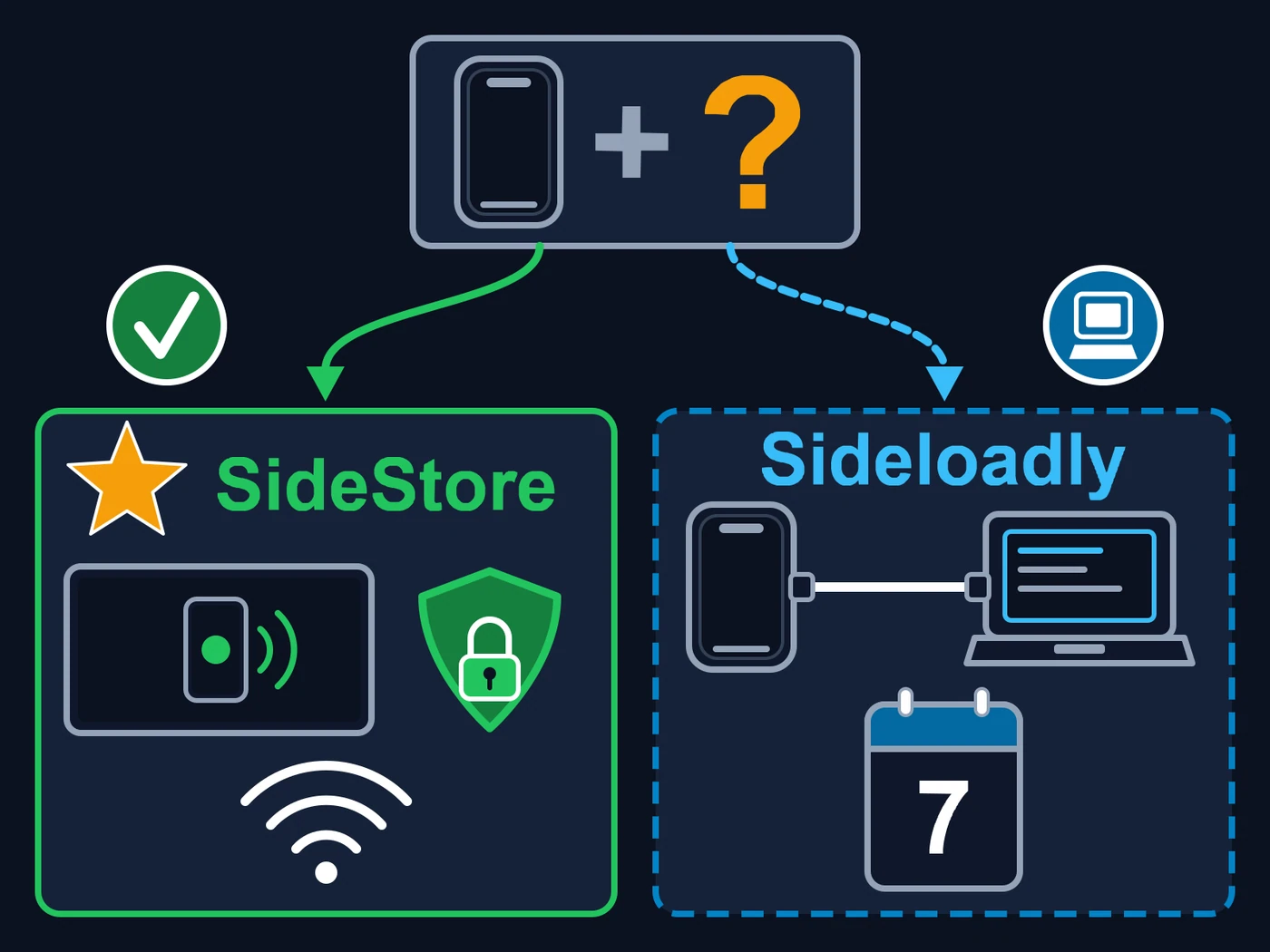
A flowchart with no words. At the top, an iPhone with a question mark, with two arrows leaving it. The green one, with a check mark in a green circle, leads to the SideStore box, marked with a gold star for recommended: a screen (the head unit’s) with an iPhone mirrored inside, a padlock shield and the Wi-Fi symbol. The dashed blue one, with a computer in a blue circle, leads to the Sideloadly box: an iPhone joined by a cable to a computer and a calendar showing 7.
How to choose: if you want to see the iPhone screen on the car’s screen (mirroring), follow the green path to SideStore (the recommended one, with the star). If that does not matter and you prefer the direct way, through the computer and the cable, follow the dashed blue path to Sideloadly. Mirroring only works through SideStore (we tested it).

Recommended

SideStore

You use the computer only the first time. After that, SideStore renews the app by itself, on the iPhone, and updates EXPanda when a new version comes out.

The good

  • Renews the app by itself, without a computer.
  • Updates EXPanda from the official EXPanda source.
  • Screen mirroring from the iPhone to the car works (we tested it).

The catch

  • Needs LocalDevVPN connected when installing or renewing.
  • More steps the first time: set aside half an hour.
See the SideStore step by step

Sideloadly

A computer program (Windows or Mac) installs the app over the cable. It is more direct, but every 7 days the app has to be renewed from the computer.

The good

  • Fewer steps the first time.
  • No VPN needed on the iPhone.

The catch

  • Needs the computer and the cable every 7 days.
  • Screen mirroring from the iPhone to the car does not work on this path (we tested it).
  • On Windows, iTunes and iCloud must be the ones from Apple’s website, not the Microsoft Store ones.
See the Sideloadly step by step
  • I want to install once and forget about it.SideStore
  • I want to mirror the iPhone screen in the car.SideStore
  • I just want the app installed and I have the computer and the cable right now.Sideloadly
  • I could not install LocalDevVPN.Sideloadly

The limits of a free Apple account

They apply to both paths, and they come from Apple, not from EXPanda:

  • The app lasts 7 days and then has to be renewed.
  • At most 3 apps installed this way on the iPhone at the same time (SideStore itself counts as one).
  • At most 10 app identifiers (App IDs) per week per account. EXPandaCelular uses more than one, because it carries the screen-mirroring extension.
  • If you hit a limit, the fix is to delete an app installed this way or wait a few days; it is explained under “If something goes wrong”.

Go back and pick another path